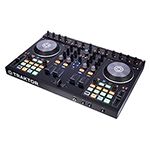

The poll: Serato DJ or Tractor Pro?
The two market leaders differ considerably, some may even say in terms of what “species” of DJ they cater to.
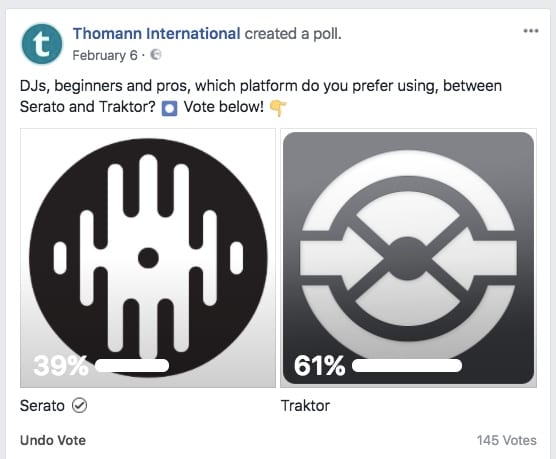
We asked you on Facebook which DJ software you prefer. Incidentally, Traktor Pro won but not by much (around 60/40). The poll does not expire so click HERE to vote or to see how it is doing.
Deciding which software is ideal for your needs is not always so easy. It is certainly a question of faith like Beef vs Pork? Coke vs Pepsi? PC vs Mac? Not just a matter of taste! On the computer-controlled information superhighway, where Serato DJ and Traktor Pro are based, hardware, optics, features, workflow and, ultimately, price, provide the arguments to take the right direction at the intersection:
Technical requirements
| Serato DJ | Traktor Pro | |
| Processor | Intel Core i3 1,07 GHz | Intel Core i5 (2.0 GHz for Windows) |
| Free Disk Space |
5 GB |
1 GB |
| Memory | 4 GB | 4 GB |
Hardware
DJ controllers and mixers from all well-known manufacturers work well with Serato DJ Plug’n Play. For the DVS operation you either need a Serato certified audio interface (Rane SL2, SL3, SL4 or Denon DJ DS1) or a mixer (Pioneer DJ S9, Reloop RMX-90 DVS, Mixars Duo). With the optional Club Kit, other mixers accept the DVS mode via the internal sound card. In general, Serato DJ always requires hardware.
Thanks to the internal mixer unit, Traktor DJ can also run without any additional hardware. The program accepts any sound card and controller, only for DVS operation the software also requires a certified controller, mixer or interface. Native Instruments’ certified hardware selection is, however, more limited.
Configuration
Traktor Pro can be configured pedantically in at least 21 option tabs and if you’re not careful you can quickly get bogged down in the settings. Serato DJ focuses only on essential, primarily technical matters, housed in only 8 option tabs. If you enjoy testing various settings or setups and customising the interface then Traktor Pro is right for you. The pragmatist opens his Serato DJ and can start more intuitively!
User Interface
Serato DJ acts in a more analog, purist and thus clearer way. Tractor Pro is convincing with its much more technical look. This is why the software sometimes caters to different types of DJs. Here is how they differ:
Serato DJ:
- Large virtual rotating “vinyl” decks
- Bordering waveforms
- Two beat matching displays for phase and BPM control
- Vertical, branched crate structure
- Smart crates, which automatically sort tracks according to selected attributes
- Serato White Label as an exclusive sampling pool to download free tracks
Tractor Pro:
- Separated waveforms
- Software mixer for internal DJ operation without external sound card and controller
- Phase meter for phase adjustment in the mix
- Place the tracks in horizontal crates and in data folders in Explorer
- Ability to count track plays (counter) and rate the tracks (rating) in the library
Above all, the arrangement of the waveforms separates dedicated (or potential) users. The more logical arrangement of the waveforms in the Serato DJ keeps track not only of the phase of the tracks in the mix, but also of their playing position. In Traktor DJ, on the other hand, the eyes have to constantly move from left to right. The visual phase control is provided by the phase meter, which indicates the correction of the phase to the master deck with its deflection in the respective direction.
Exclusive features
Serato DJ:
- Sampler with 8 x 4 sample slots
- Sticker Lock: to automatically align the cue point on the sticker on the vinyl
- Key sync * to adjust the harmonies
- Studio-quality keylock thanks to Pitch’N Time *
- Own edits and tone-play thanks to Flip *
- Video mixing * with special visualisations, transitions and effects
- Twelve multi and ten single FX on board, further options bookable
* optional only as a commercially available expansion pack

Tractor Pro:
- Remix decks with up to 4 x 16 slots and sequencer
- MIDI Clock for synchronizing external MIDI-compatible effect devices, rhythm machines or synthesizers
- Loop recorder for creating live overdubs
- STEMS compatible: Beats, Bassline, Leadsounds and Vocals of a track can be played individually
- 40 effects, up to three grouped simultaneously, but not expandable
Workflow and Performance
At the end of the day, both programs have the same digital benefits, including cueing, loops, beat jumps, sync and Ableton Link support. In terms of latency, Serato DJ scores with a touch of realistic vinyl feeling, while Traktor delivers slightly richer sound.
There are also differences in the samples played: Traktor Pro’s Remix Decks offer up to 64 slots, of which a maximum of sixteen samples can be fired simultaneously. However, these occupy their own deck. Serato’s Sampler also accepts the master or a fifth channel.
Price
For the full version of both programs you pay 99 euros. Click HERE for the full version of Serato DJ.
Serato DJ also requires certified audio hardware. Entry-level models are now available from about 70 euros (Numark DJ2GO2), but only with the slimmed-down Serato Intro version.
Vinyl DJs benefit from the very reasonable DVS interface Denon DS1 for 299€ including Serato DVS license. Another 300€ are incurred for the Serato Suite with all expansion packs. Upgrades are free.
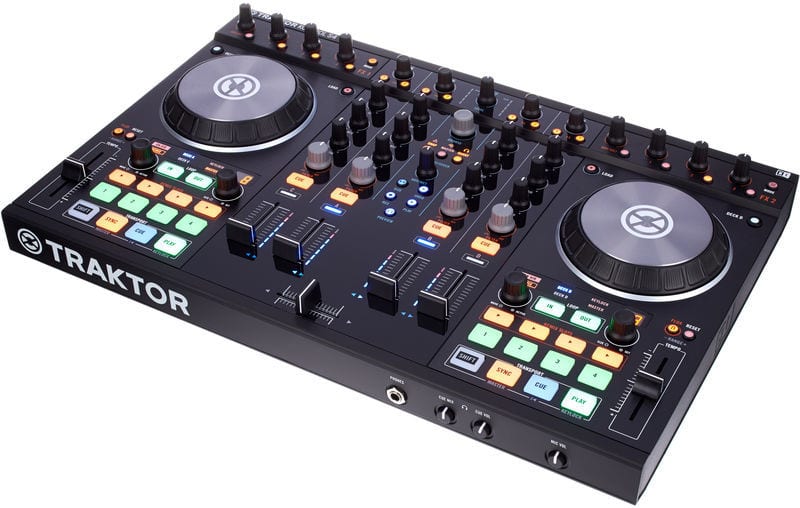
Traktor Pro upgrades always cost something, but you save money because you can go without hardware or certified equipment in general. Otherwise, the cheapest bundles of hardware/software are the Native Instruments Kontrol S2 for 366€ or the DVS interface Traktor Scratch A6 for 299€.
If you have always been undecided, you may now know a little better which system is made for you and your DJing style. ?
-
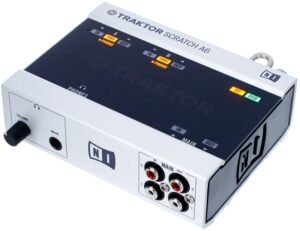
- Native Instruments Traktor Scratch A6
-
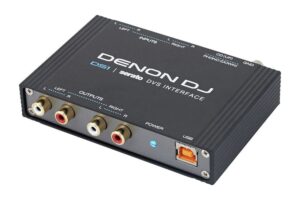
- Denon DS1
Click here for all DJ-related products on thomann.de
Click here for all DJ software on thomann.de
Blog article: 8 Annoying Things No DJ Wants To Hear
Blog article: The Return Of Vinyl

Let us know which DJ system you are using and why!
We’d love to hear your comments. ✍








Comments 6