Sivun sisältöön
Includes 3 months of full access to ArtMaster.com

Includes 3 months of full access to ArtMaster.com – your online music learning platform for music production, songwriting and viral TikTok-style music creation.

When you purchase this studio product, you receive a free 3-month voucher worth EUR 59, valid from 2nd december 25 to 28th february 26, giving you full access to premium online courses focused on modern production techniques, beat-making, vocal editing, creative workflows and content-ready sound design.

ArtMaster.com – your e-learning partner created with industry professionals such as Sam Pounds (Chris Brown, Dr. Dre), Printz Board (Black Eyed Peas, Justin Timberlake), and Chris Kasych (Adele, Beck, Pharrell Williams). Learn from over 500 video lessons designed for producers, creators and songwriters — covering DAW production, mixing fundamentals, arrangement, hooks for TikTok, and essential skills for turning ideas into release-ready tracks.

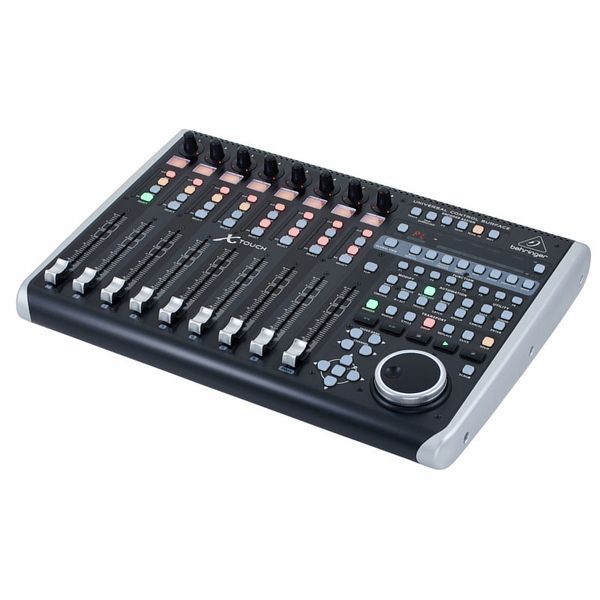
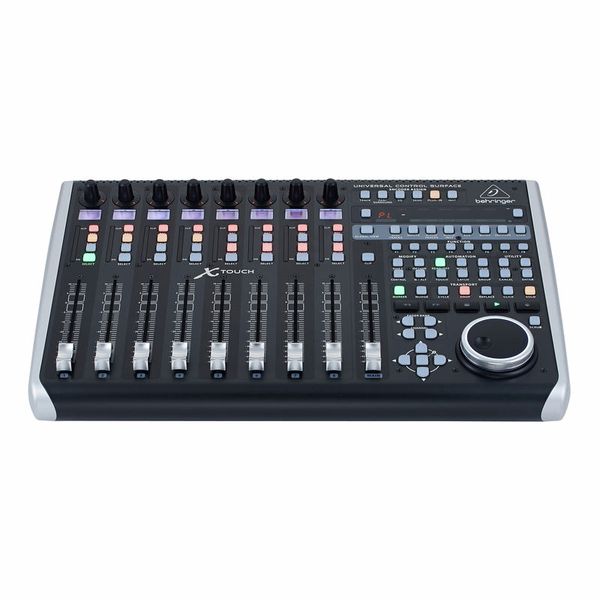
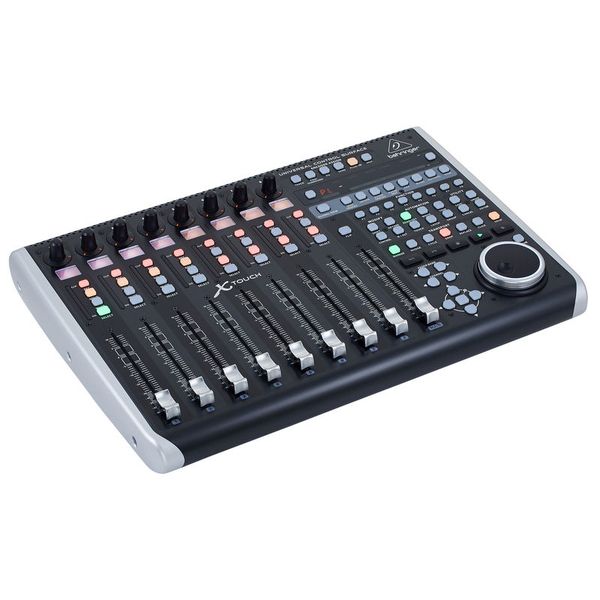
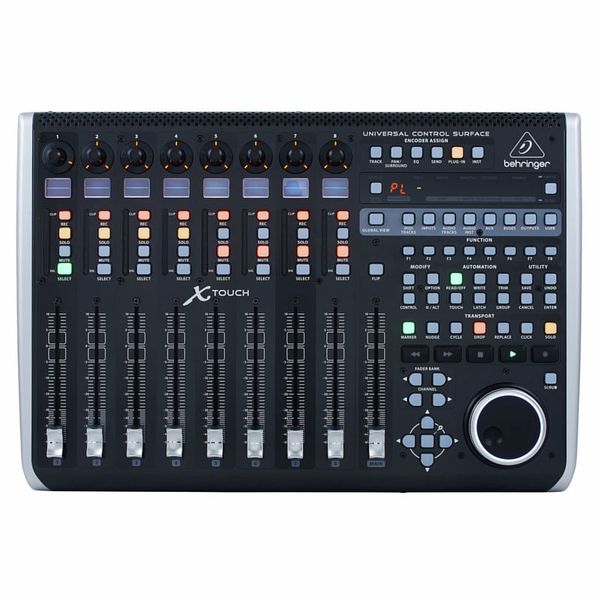
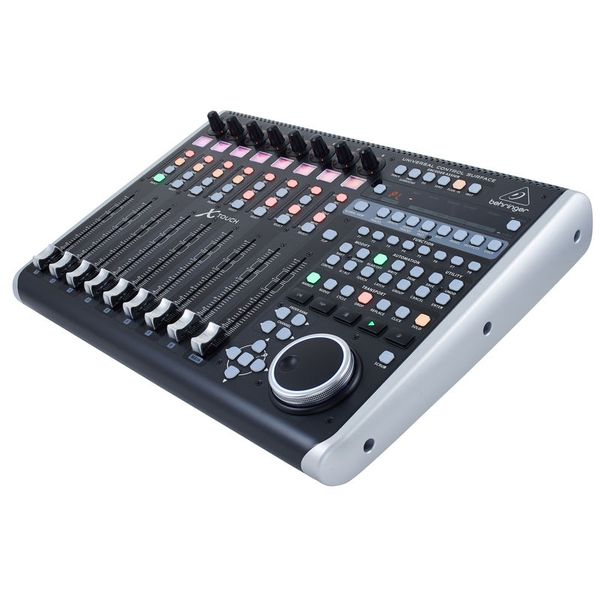
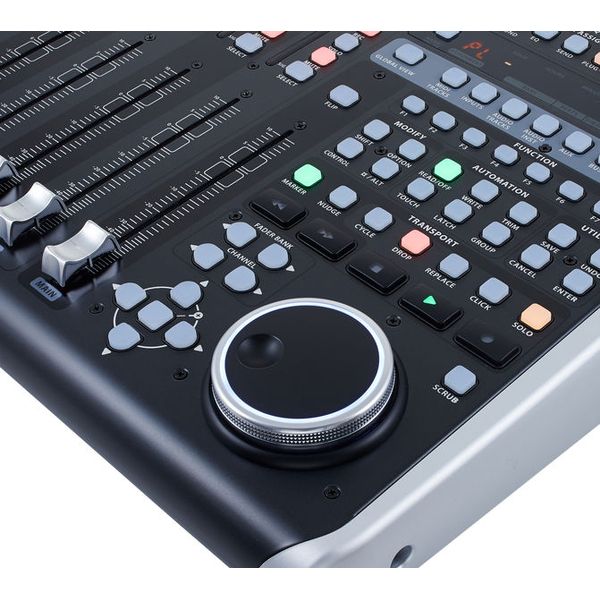
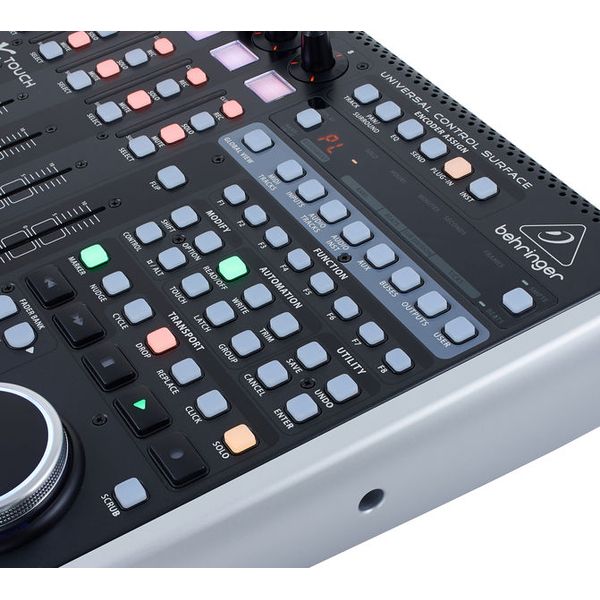
Universal DAW Remote Controller

  • For studio and live applications
  • Supports HUI and Mackie Control protocol
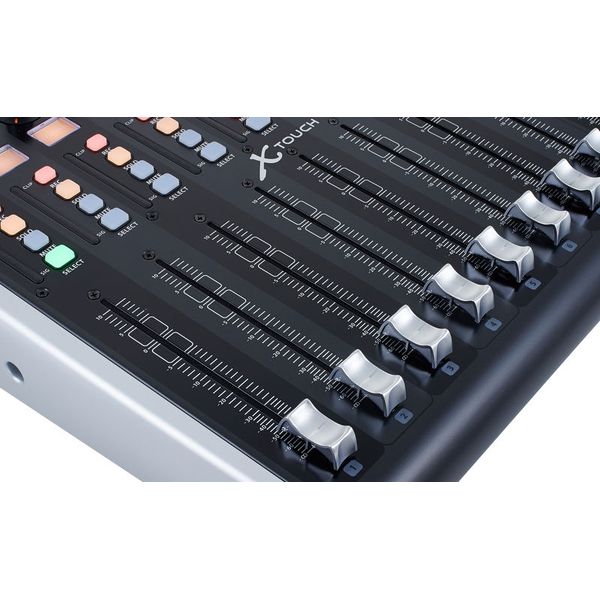
  • 9 Touch-sensitive 100 mm motor faders
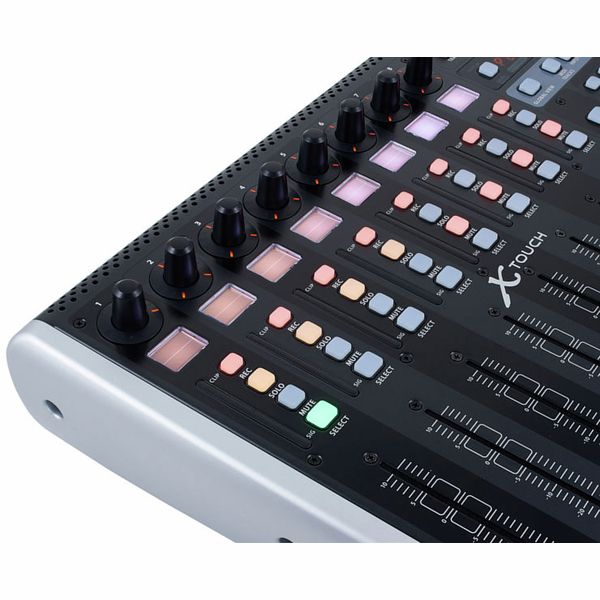
  • 8 LCD Displays for channel identification and other parameters
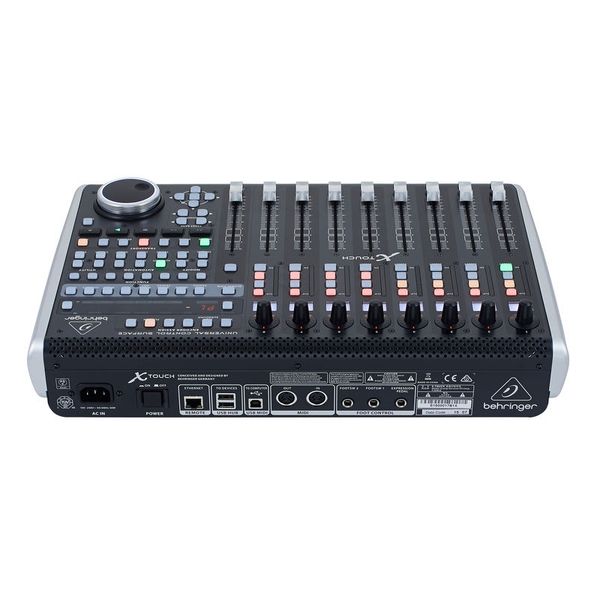
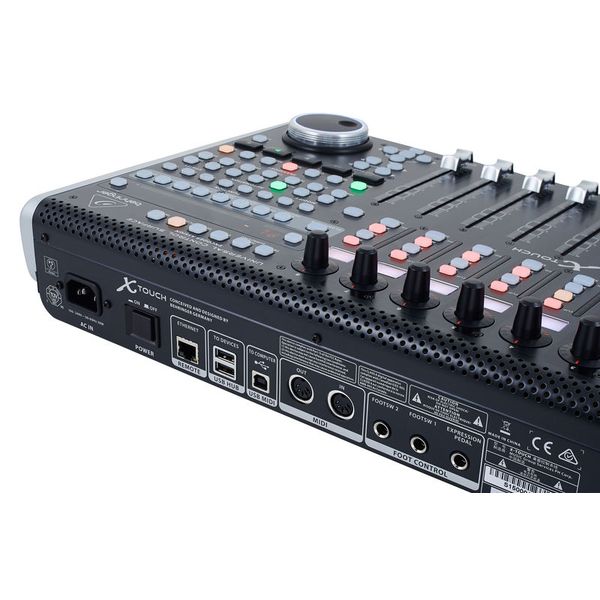
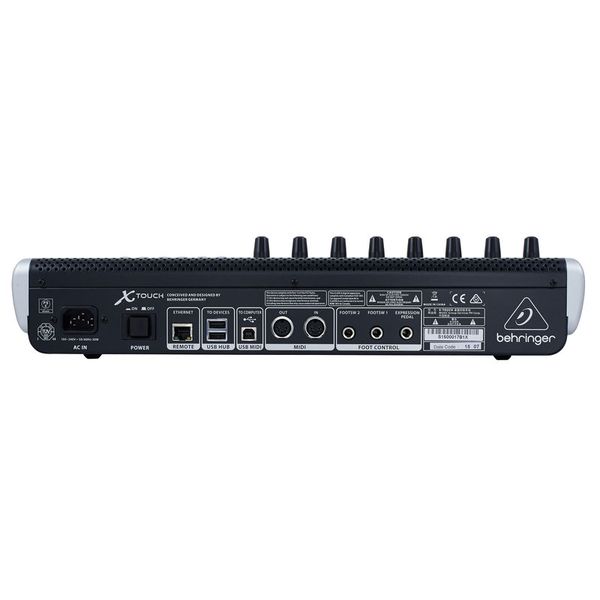
  • Ethernet interface for RTP (Real-time Protocol) MIDI and BEHRINGER X32 remote control
  • 8 Assignable rotary controls
  • 92 Buttons for direct access of key functions
  • Built-in 2x2 USB/MIDI interface for direct connection from Mac or PC
  • 2 Connectors for foot switches
  • Dimensions: (H x W x D) 100 x 452 x 301 mm
  • WeightL 4.3 kg
  • Suitable transport bag: Art.479532 (not included)
  • Suitable case: Art.330507 (not included)
  • Myynnissä vuodesta Elokuu 2015
  • Tuotenumero 368658
  • Myyntierä 1 kappaletta
  • USB Yes
  • Bluetooth No
  • 5-pole DIN MIDI Yes
  • Ethernet Yes
  • Fader 9
  • Rotary Encoders 8
  • Audio I/O No
  • Transport Function Yes
  • Footswitch connection Yes
  • Foot Controller Connection Yes
  • Bus-Powered No
  • Jog Yes
  • Joystick No
311 €
Kaikki hinnat sis. ALV:n
Saatavilla 9-12 viikon sisällä
1
131
Vierailija
harkitse tätä tuotetta
9
Myyntisijoitus
kategoriassa DAW-ohjaimet

437 Asiakkaiden arviot

4.5 / 5

Käyttö

Ominaisuudet

Työnjälki

291 Arvostelut

a
Behringer X-Touch
alembic92 21.09.2020
Edullinen kontrolleri, tyylikkään näköinen ja monipuolinen laite. Käytän tätä lähinnä Pro Toolsin kanssa, jolloin harmillisesti suurin osa toiminnoista vain ei toimi. Ostin tämän kun oli aika uusi tuote ja tuosta toimivuudesta eri DAWien kanssa oli aika vähän infoa löydettävissä, nykyään löytyy jo kattavammin. Ilmeisesti kuitenkin esim. Abletonin kanssa toimii paremmin. Suurin osa napeista oikealla on käyttökelvottomia Pro Toolsin kanssa. Onneksi Save -nappi toimii kuitenkin.

Ne toiminnot, jotka ovat yhteensopivia, toimivat kuitenkin niin kuin pitääkin, mitä nyt toisinaan joku fader saattaa jämähtää paikalleen keskiasentoon. Faderit eivät ole mitään ihan ammattilais tason tarkkoja ja niiden moottori on aika äänekäs.

Tuote vaikuttaa ulkoisesti kuitenkin ihan suhteellisen kestävältä ja napit ovat vahvan oloisia. Hyvä hinta- laatu suhde siis, mutta juuri Pro Toolsin kanssa ei ehkä se paras valinta.
Työnjälki
Ominaisuudet
Käyttö
1
0
Raportoi ongelmasta

Raportoi ongelmasta

S
Monipuoliseen käyttöön.
SamiV 28.03.2022
Kaipasin kontrolleria, jotta saisin räkkimikserille fyysiset säätimet. Aikani asiaa tutkittuani löysin tämän kontrollerin. Pian huomasin, että sehän taipuukin vaikka mihin käyttöön. Se oli suorastaan pakko ostaa. Mahtavaa on se, että laitteelle on saatavilla myös eri käyttöympärisöihin soveltuvia "skinejä". Täten omia teippauksia näppäimille ei tarvitse tehdä vaan kontrollerin saa helposti Cubase-ympäristöstä mm x18 mikserin ajopinnaksi. Parasta tässä on tietenkin myös se, että laite toimii tcp/ip verkossa. Täten kaapelointi ei rajoita toimintaa, kun signaali kulkee verkossa muun datan seassa ilman ongelmia.
Työnjälki
Ominaisuudet
Käyttö
1
0
Raportoi ongelmasta

Raportoi ongelmasta

M
Make666 30.01.2020
Easy and pleasant to do with this controller with Cubase: Panning and changing the track volume. And that's about it. I have to confess that I have been using it only for a day but for example the equalization and using the plug-ins is very slow thing to do so you will rather still use the mouse. But I have heard this is the deal with every controller. You can assign some features to some buttons but it's really not enough. I have seen videos where they were using Logic and it work a lot better then with Cubase.

But there are some workarounds for this. Look up Paulo Germano's video "Taking X-Touch Integration with Cubase to another level" from youtube. But it's a bit complex to do. I didn't have the nerves to get it through.
Työnjälki
Ominaisuudet
Käyttö
0
0
Raportoi ongelmasta

Raportoi ongelmasta

K
All needed features and more
Keltsu 06.08.2019
This is the best option for DAW controller. Well built, easy to take into use, and has all the usually wanted features. Easy to upgrade to 16 faders with extender, which is easy to attach to the main unit (DIY stuff). I have been using this along with the extender now for almost a year and no problems at all.
If you need a DAW controller for reasonable price; Simply buy this one and the extender.
Työnjälki
Ominaisuudet
Käyttö
0
0
Raportoi ongelmasta

Raportoi ongelmasta