



To the page content

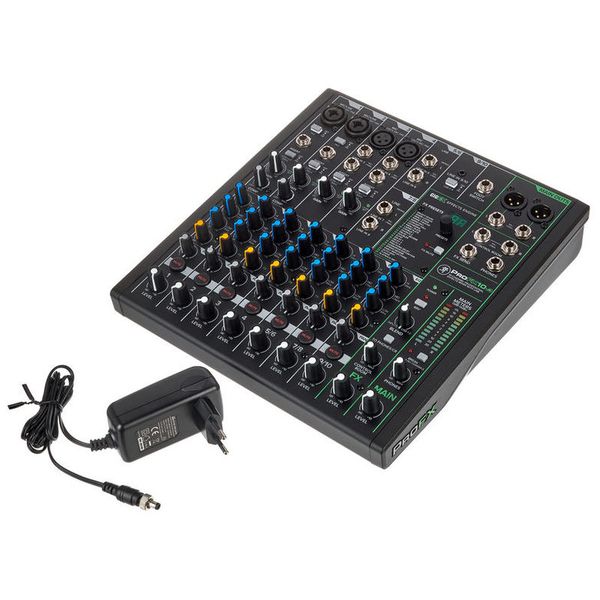
10-Channel Mixer

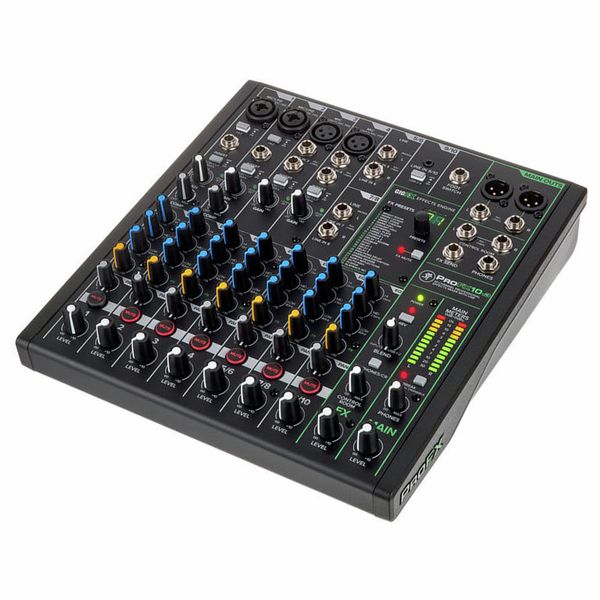
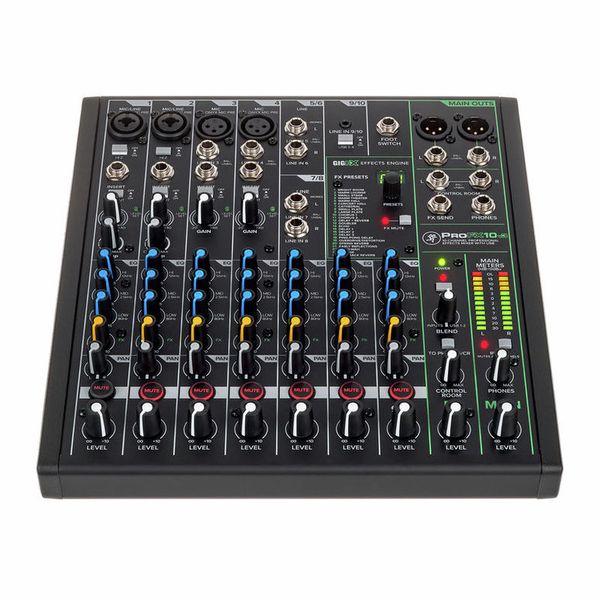
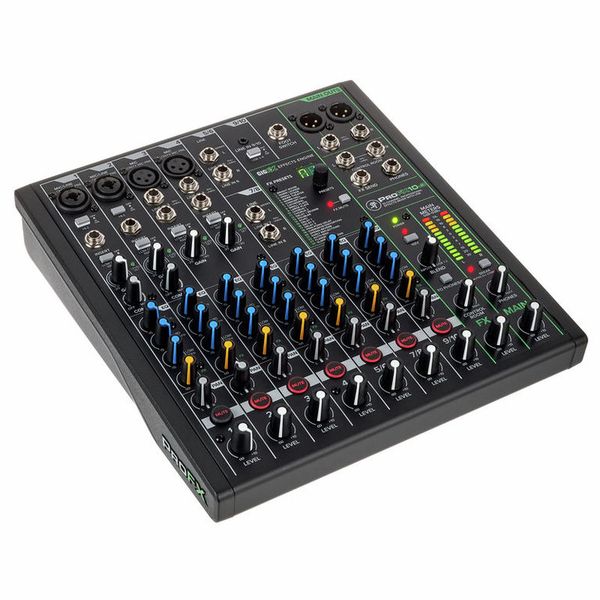
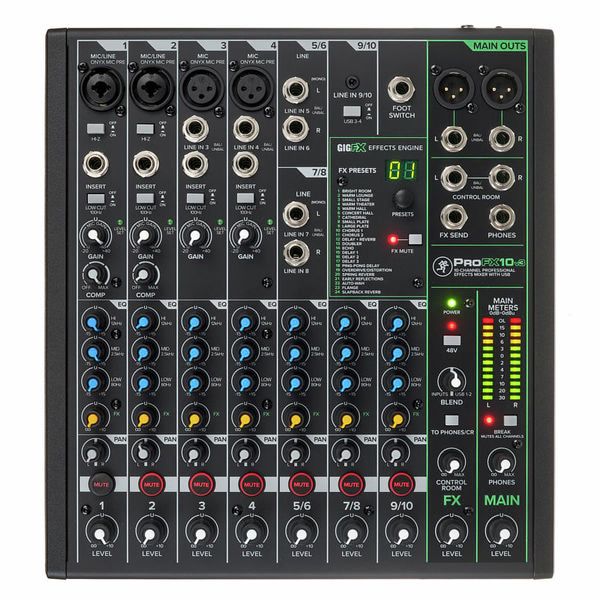
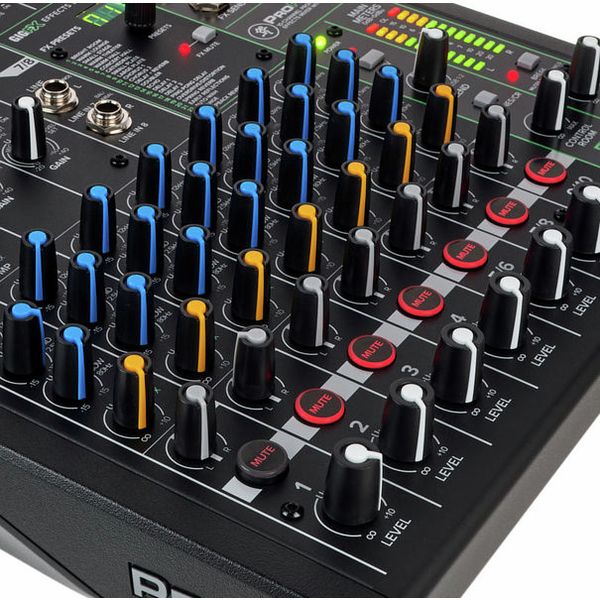
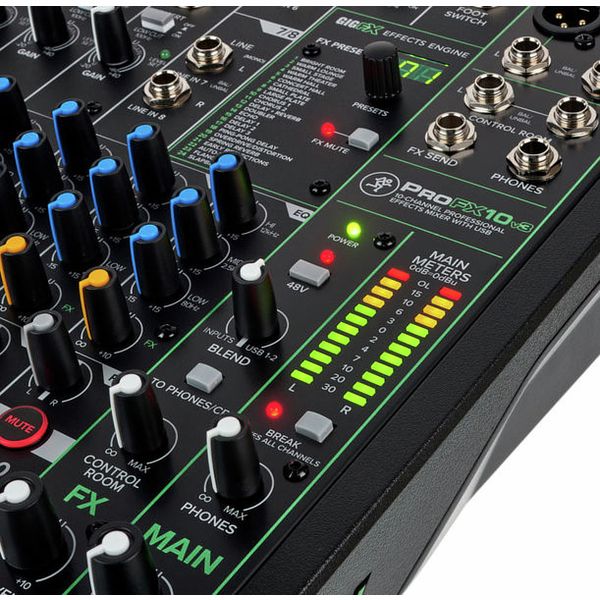
  • Four microphone inputs with 3-band EQ
  • Four inserts and two one-button compressors
  • 4x 6.3 mm jack line input
  • 1x 3.5 mm stereo jack line input
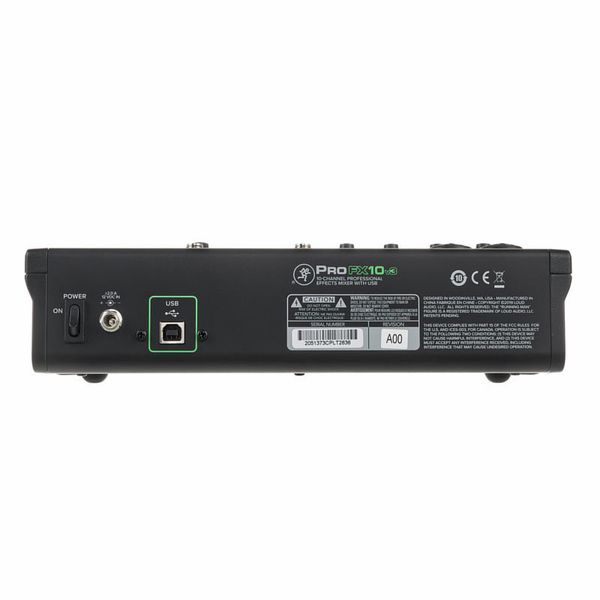
  • 2x4 USB interface
  • Built-in GigFX effects device with 24 effects
  • 100 Hz low-cut filter
  • Two Hi-Z switches
  • 48 V phantom power
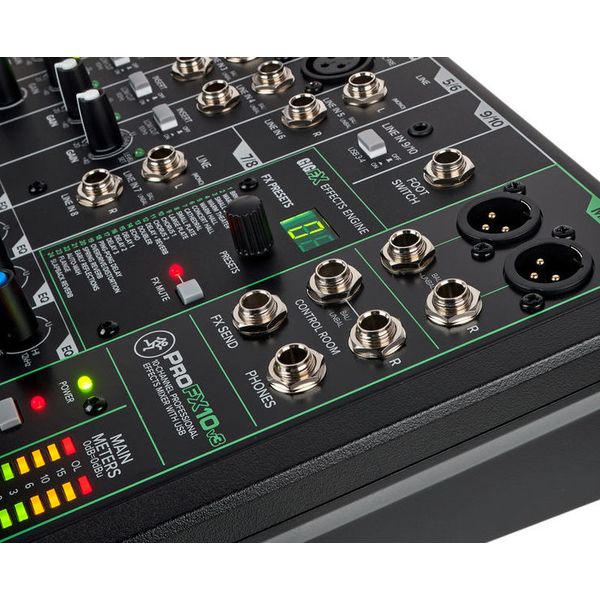
  • Headphone jack
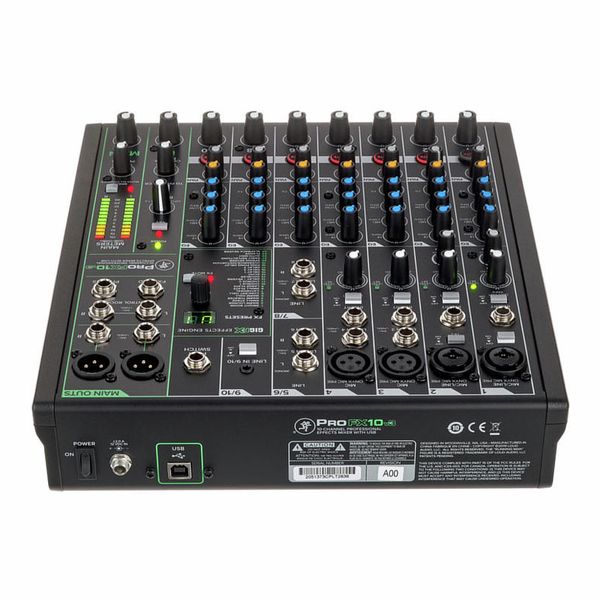
  • Footswitch connector
  • iOS support with optional Lightning to USB 3.0 camera adapter for connection to iPad and iPhone (adapter not included)
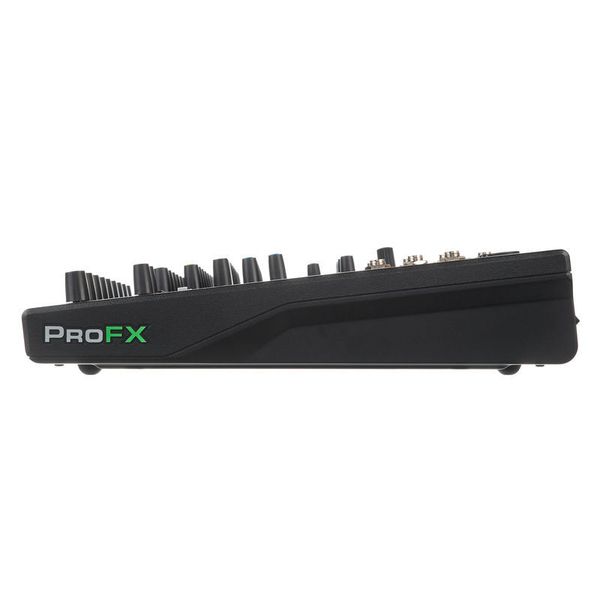
  • Dimensions (H x W x D): 84 x 272 x 302 mm
  • Weight: 2.2 kg
  • Includes Waveform OEM Recording Software
  • Suitable transport bag: Art. 473654 (not included)
  • Suitable dust cover: Art. 485223 and Art. 493959 (both not included)
  • Available since December 2019
  • Item number 473564
  • Sales Unit 1 piece(s)
  • Parallel usable Channels 7
  • Mic Ins 4
  • Stereo Ins 3
  • Master Out XLR
  • Number of Pre Aux max. 0
  • PC Interface USB-B
  • Multitrack Recording No
  • USB/SD Direct Record No
  • PFL No
  • Effect Processor 1
  • USB Play No
  • Bluetooth Play No
  • Foot Switch Switch
  • Matrix Mixer No
  • Zones 0
  • 19" Rackmount No
  • Width 272 mm
  • Depth 302 mm
  • altezza 84 mm
  • Height 84 mm
  • Weight 2,2 kg
  • Simultaneous channels 7
  • Mic-In 4
  • Mono Line-in 4
  • Mono Line Ins 4
  • Stereo-In 3
  • Hi-Z Input 2
  • Phantom Power 48V
  • Aux Ways 1
  • max. Pre Aux Channels 0
  • Audio Interface Input 4
  • Interface Input 4
  • Interface Output 2
  • Audio Interface Output 2
  • USB/SD Direct Recording No
  • Low Cut Yes
  • Insert Yes
  • Inserts Yes
  • Compressor Yes
  • Panorama Yes
  • FX Processor 1
  • Lamp Connector No
  • Lamp connection No
  • Footswitch Switch
  • Bag 473654
  • Rackmount No
239 €
All prices incl. VAT
In stock
1

All the features, none of the latency

The Mackie ProFX10v3 brings together a USB mixer and an audio interface in one unit, fully loaded with professional features that put a smooth workflow, top‑tier sound, and optimal signal integrity front and centre. But it's far more than just a compact mixer with a USB port: Paired with the Waveform OEM software bundle, the ProFX10v3 is a full‑on workstation for high‑resolution recording via USB, be that for streaming setups or for content production. The real key feature? All this is possible with latency‑free direct monitoring. The ProFX10v3 is capable of delivering richly detailed, high‑resolution mixes at sampling rates of up to 192kHz; a major factor in its impressive sound are the ultra‑low‑noise Onyx preamps, which have enough headroom to answer every question a producer could ever ask of them. And, of course, the Mackie ProFX10v3 is another piece of gear with the rock‑solid build quality Mackie is known for.

Mackie ProFX10v3, USB audio interface

The workflow's crucial

Just as crucial as its sound quality is the way a mixer is equipped. The Mackie ProFX10v3 offers a total of ten channels, with the four microphone inputs using combo sockets so producers can hook up both XLR and jack cables. On the inside, there's a versatile GigFX engine, with 24 effects designed to shape voices, instruments, and signals of all kinds. These include a range of spatial effects like reverbs and delays, a compressor, and an EQ, plus limiter, chorus, phaser, and more. Naturally, the unit provides 48V phantom power – across all channels. Rounding things out, the package also includes a huge software bundle (including ProTools, WaveForm, and 23 exclusive Avid plug-ins) that gives producers plenty to dive into.

Mackie ProFX10v3, USB audio interface

The perfect fit

The Mackie ProFX10v3 is an ideal fit for songwriters, podcasters, producers, DJs, home‑studio hobbyists and more – whether it's running a bedroom studio or serving as a compact solution on stage. Either way, it first needs to be connected to a computer via USB (it ships with a suitable cable). Once levels are set, a headroom of around 8dB is usually an effective working range. The blend control allows users to fade between the first USB return from the stereo computer signal and the mixer's inputs; producers can thus monitor just the input, a combination of both sources, or the USB return on its own. This allows them to record the mixer's stereo sum directly. There are two stereo return paths available, one of which is managed with the blend control, the other occupying its own dedicated channel. This makes it possible to send out two different mixes at the same time.

Mackie ProFX10v3, USB audio interface

About Mackie

In 1988 Greg Mackie, already a successful co-founder of a pro audio company, founded Mackie Designs Inc. with the goal of producing affordable, high-quality mixers. The company's first official product, the LM-1602 line mixer, was initially produced within the four walls of his home. As sales figures were encouraging, its successor model CR-1604 soon followed - and in 1991 the company finally moved into its first proper production facility. The combination of reliable quality and low prices quickly brought the company enormous success, so that by 1995 Mackie had already sold 100,000 products. In 2003, the company was renamed LOUD Audio, LLC so that there is no longer any confusion between the Mackie brand and its former parent company of the same name.

Hook it up

The Mackie ProFX10v3 is a flexible device, and as such it's compatible with Windows (PC) as well as macOS. For use as a desktop workstation and USB audio interface, no separate macOS drivers are required, as the mixer comes pre-configured straight out of the box. For Windows systems, Mackie provides the necessary drivers as a free download on their product page. A key part of the ProFX workflow is the licenced software bundle included here: Once Waveform OEM and the additional plug‑ins have been downloaded and installed, the relevant features and connection options can be configured as with any other desktop app. Mackie have made the ProFX range very flexible though, and the mixer can also be used with virtually all common recording software suites.

52 Customer ratings

4.6 / 5

handling

features

sound

quality

37 Reviews

RJ
Mackie Pro FX10v3
Roger J Anstey 24.06.2020
My wife is an ex pro singer and use the Mackie Pro FX10v3 Mackie SRM 450 speakers for charity gig`s in Spain. At the gig`s we get very good feed back on the quality of sound and effects. being a solo singer and using backing tracks it?s size is small but has everything to give good sound and am constantly asked what I am using. The strength of volume with out distortion or feed back appears to shock other artists. the USB connection is second to none again enhancing the Quality of the input to output. I have used many combinations over 40 years of performing and this is the best so far! I can not fault this equipment!!
handling
features
sound
quality
10
0
Report

Report

H
No surprises
Happymonday 20.12.2021
I bought it for home studio. It works fine, it is quality built.
If feels sturdy and there is no noise. As I wrote in headline, there are no surprises. + you get some cool software products.
handling
features
sound
quality
4
0
Report

Report

i
Just a false light, unfortunately.
ingmarp 03.03.2025
I needed to replace my old Mackie 1202 VLZ3 because of the failure of the transformer and the preamp of 1 channel after more than 15 years of service. I had the choice between going for the VLZ4 version and try something new that could allow me not to pass through a dedicated digital audio interface for pc recording.
Mackie ProFX10v3 seemed to be the good choice in the same price range. Wrong choice! The more I use it the more I see its limitations.

the pros:
- USB connection (whatever limited to 2 channel recording)
- compressor on 2 channels
- HI impedence switch on 2 channels

the cons:
- junk onboard effects, almost unusable because of the lack of control over them (you can control just the mix, no parameters are tweakable). must be a reason if the more complete Mackie ProFX10v3+ is 40% more expensive!
- limited routing possibilities (on the 1202 VLZ you had the ALT 3-4 option)
- only 1 fx send (on the 1202 VLZ you had 2 fx send)
- 8 real channels (line 9-10 are almost used for USB connection or for a 1/8 TRS)
- absence of the useful (for me, at least) tape-in and tape-out connection (for additional connection to other audio sources) in addition to the "real" 12 channels

All in all, the feeling I have is that Mackie tried to jump in the USB DAI mixer segment adding gadgets and betting on brand reputation. For good amateur USB DAI mixers better look elsewhere. Just a false light, unfortunately.
handling
features
sound
quality
2
2
Report

Report

google translate fr
Unfortunately there was an error. Please try again later.
BB
CONTROLEUR TOTAL DU SON D'UN ORDINATEUR
Bruno B-France 10.05.2020
J’ai acheté cette petite console pour remplacer ou étendre une interface audio Presonus Studio 26, qui était parfaite pour de la MAO, mais très insuffisante pour gérer du broadcast, stream, du chat, jeux collectifs sur le web ou de la visioconférence en direct. Avec la Mackie proFX10v3, je peux disposer d’une console qui fait aussi interface audio tout en ajoutant les avantages du mixage de plusieurs voies avec EQ, effets et panoramique, et du routage basique des dispositifs prévus par Windows : périphériques de lecture et enregistrement par défaut ou périphériques de communication par défaut. Destinée avant tout à un usage studio informatisé, cette console réunit tout le nécessaire d’un producteur-acteur-joueur en home studio.
-->Mon cahier des charges était :
1- résolution audio jusqu’à 24bits / 192kHz (comme la Presonus) (Elimination des consoles Behringer 16bits / 48kHz et Allen & Heath, 24 bits / 48 kHz). Je travaille en 24bits / 96 kHz
2- Isolation totale du périphérique de communication par défaut (Windows) du reste. Sur la ProFX, le rotatif BLEND et l’interrupteur TO PHONE/CR permettent d’isoler parfaitement ce canal paramétré comme USB1-2 entrant sur la FX, et servant le flux entrant lors des communications et streams.
3- Séparation des volumes entre le Control Room (enceintes monitor de studio) et le casque (Phones). Ceci m’a obligé à éliminer les consoles Yamaha MG10XU (Un seul contrôle de volume pour CR et Phones) et Soundcraft Signature 10 (absence de Control room).
4- Faibles dimensions pour être posée sur un bureau.

-->Qualité de la proFX
1- Construction solide avec des rotatifs très bien conçus et sensibles, réagissant au moindre mouvement. La position U correspond au 0 dBu (ou dBm) de l’échelle analogique. Sur le rotatif BLEND, la position centrale correspond à 0 dBu, alors que la position à fond à droite sur USB1-2 correspond à 0 dbFS de l’échelle numérique. (Cf plus loin)
2- Très bon son. Les effets sont préréglés, et le paramétrage s’effectue en dosant à la source, le rotatif d’envoi FX de chaque canal. Les FX peuvent être en MUTE global. Enfin, chacune des voies dispose d’un switch MUTE de voie lumineux. Les voies 1 et 2 disposent d’un simple compresseur qui atténue le signal en le limitant aux trop fortes amplitudes, mais sans expander aux faibles amplitudes.
3- Le rotatif BLEND (actif si TO PHONES/CR est sur on) dessert soit l’USB 1-2 entrant, soit les INPUT (voies 1 à voie 9/10) sauf si la voie 9/10 est activée en USB3-4. Dans ce cas, les INPUTS vont de 1 à 7/8, ceci afin d’isoler le retour des sons de Windows. A noter que l’USB1-2 n’est audible que si le bouton TO PHONES/CR est sur ON, ce bouton agissant comme un PFL (Pré Fader Listener) qui envoie le mix entre les INPUTS et l’USB1-2. Quant à l’USB 3-4, il n’est audible que si le bouton TO PHONES/CR est sur off, rendant ainsi inopérant le rotatif BLEND.

-->Comprendre la question des échelles de niveau numérique et analogique
Bien que cela ne soit pas une norme, le niveau +4 dBu analogique, correspond souvent au niveau -18 dBFS (Full scale) numérique sur les consoles analogiques et même -20dBFS sur les consoles numériques. Aussi :
1- Si on enregistre à travers un DAW un signal aux alentours de 0 à +4 dBu sur la console, on voit dans le DAW un très faible signal en amplitude. C’est normal ! Pour écouter ce qui a été enregistré, il faudra que le retour du DAW soit sur USB1-2 avec BLEND à fond à droite, vers USB1-2 et le switch TO PHONES/CR enfoncé. Alors le faible signal numérique sera ajusté de + 14 dB pour retrouver le niveau 0 dBu théorique.
2- Si on enregistre à travers un DAW un signal en le poussant jusqu’à +10 à +15 dBu sur la proFX, cela entraînera une meilleure amplitude du signal dans le DAW. Cependant, lors de l’écoute, il faudra positionner le rotatif BLEND au milieu, car si on le maintient à fond à droite, on risque alors un signal qui pourrait atteindre +20 dBu, de nature à endommager les enceintes monitor. Il faut donc dès les premiers tests bien comprendre le rôle de ce rotatif BLEND. A fond à droite pour reproduire un signal numérique atténué, au milieu pour reproduire un signal numérique normalisé.
3- Les tests que j’ai effectués dans les deux cas sont dépourvus de souffle à l’écoute (sauf au casque plus sensible) même en poussant le gain d’un micro éloigné. Tests effectués avec les DAW Studio One et Reaper. Très faible latence, même à haute résolution.

-->Les PLUS et MOINS
PLUS :
- présence de 4 jacks d’insert sur les 4 voies mono, rendant possible l’adjonction de tranches de console à lampes, préamplis, égaliseurs paramétriques ou tout autre effet.
- Deux entrées Hi-Z à haute impédance pour instruments, 2 entrées Stéréo pour synthés, pianos numériques ou module de batterie électronique ou boite à rythmes. Console très complète pour la MAO en enregistrement piste à piste
- Rapport qualité/prix très favorable (au regard d’interfaces audio USB ou de consoles de mixages analogiques)
- Interface facile avec l’ordinateur (pilote à télécharger et installer) et avec tous les DAW (STAN).
- Livré avec deux offres DAW et plus de 35 plugins d’effets (ProTools First et Waveform de Tracktion) Nécessite pour ProTools l’installation gratuite du licenseur Ilok. Tout cela se fait par téléchargement.
- Ne chauffe pas ou très modérément, même en fonctionnement permanent.
- Le connecteur d’alimentation est vissé sur le connecteur femelle de la FX. Impossible de l’arracher par accident.

MOINS :
- Absence d’un véritable bouton PFL sur chaque voie qui isolerait cette voie à l’écoute PHONES. Cela permettrait de tester des sources en cours de comm ou tchat live. En usage studio, cela n’est pas gênant. En visioconférence, il faut préparer ses sources avant.
- Absence de bouton TAP sur la zone FX qui permettrait de synchroniser le rythme des délay au tempo, pour les DJ qui préparent des Mix.

-->CONCLUSION
Une très bonne console pour un home studio et une interface audio musclée pour exploiter à 100% nos ordinateurs connectés sur le Web sans négliger toute production domestique de musique ou de vidéo, ni les gamers connectés sur le web. Pour de la scène, elle pourra servir des prestations très simples, mais, pour ceux qui ont besoin davantage d’un matériel de scène, il vaudra mieux étudier une console plus étoffée en voies auxiliaires et traitements de tranche et sorties (présence de groupes et de sélecteur groupes et main).
A noter que j’ai maintenu ma Presonus, en renvoyant vers elle les sorties de logiciels de players vidéos ou audios, la sortie de la Presonus alimentant la voie 5/6 de la ProFX. Enfin, vis-à-vis des jeux, le son est envoyé sur l’USB 3-4 de la ProFX, de façon à bénéficier d’un réglage EQ.
handling
features
16
4
Report

Report