


Arturia KeyLab 49 mk3 White

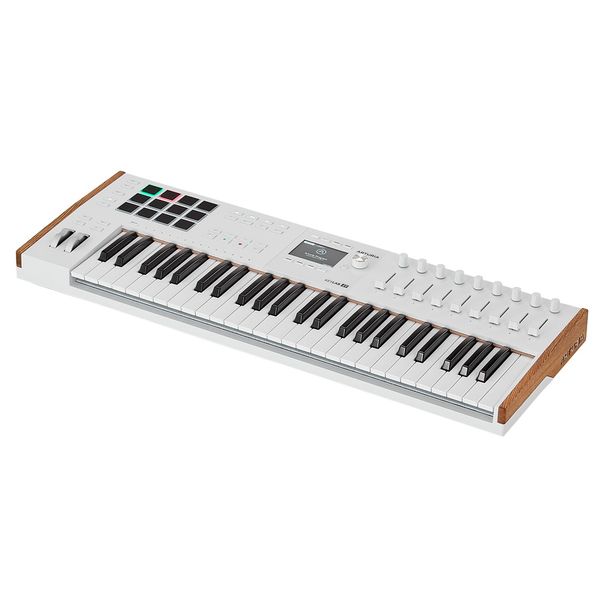
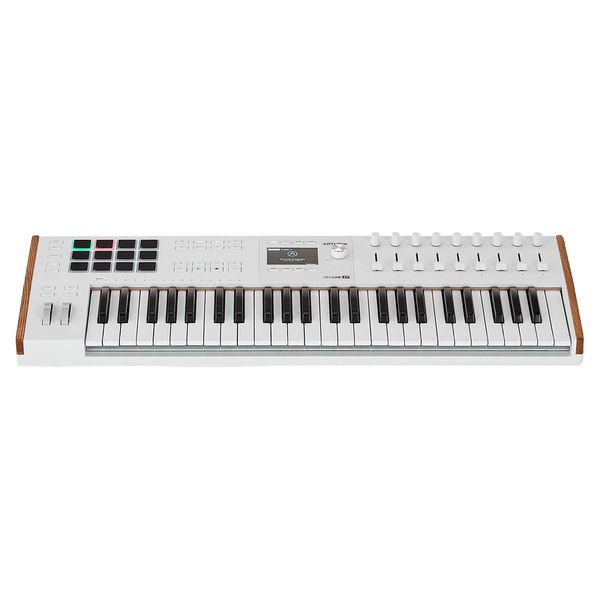
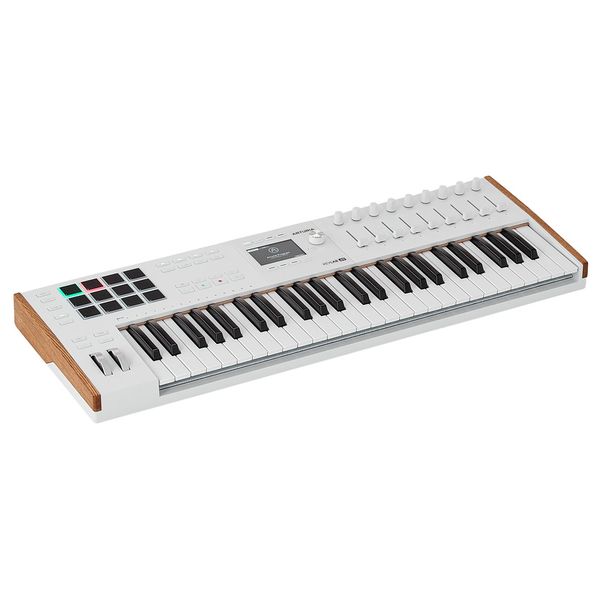
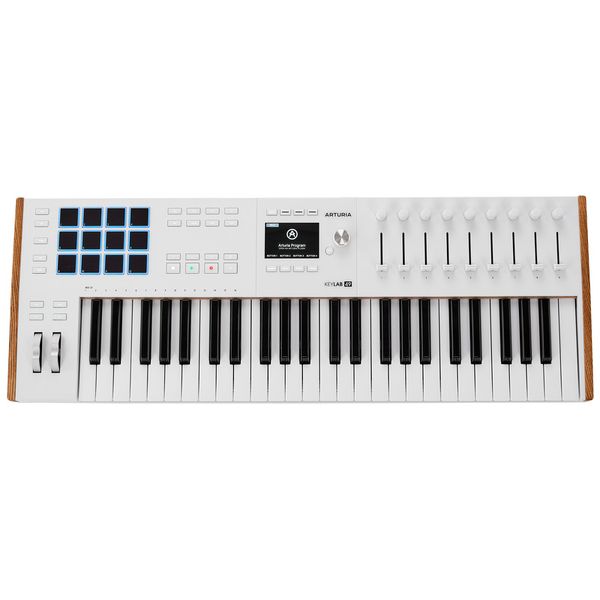
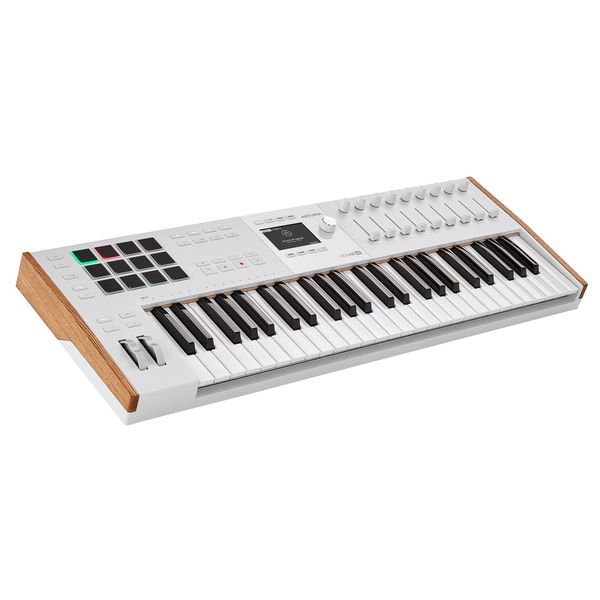
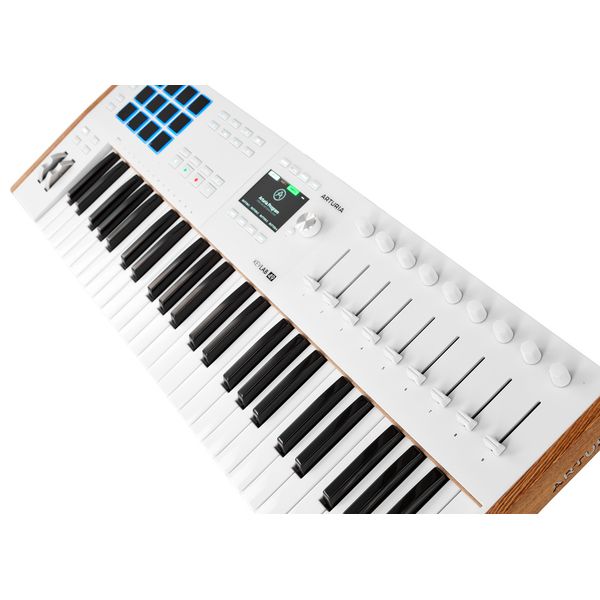


USB MIDI keyboard with 49 Velocity-Sensitive keys and Aftertouch
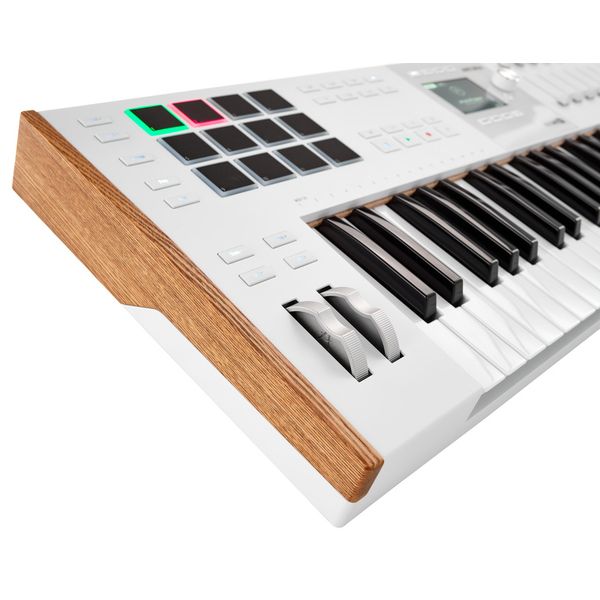
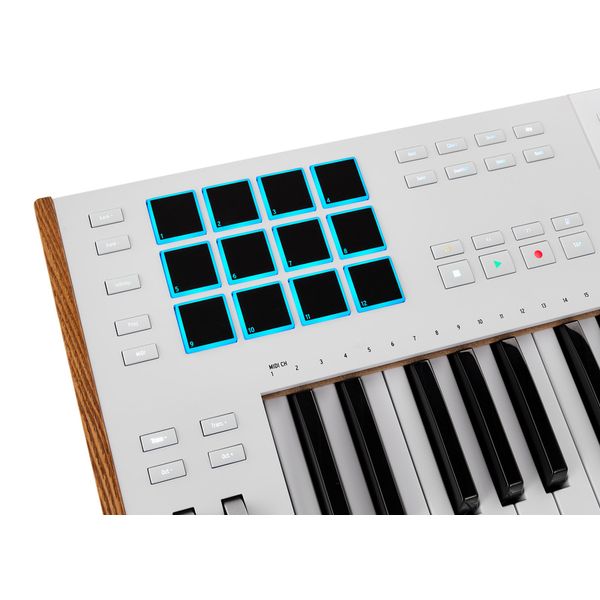
- 12 illuminated velocity-sensitive and pressure-sensitive performance pads
- Nine touch-sensitive faders and 360° rotary controls
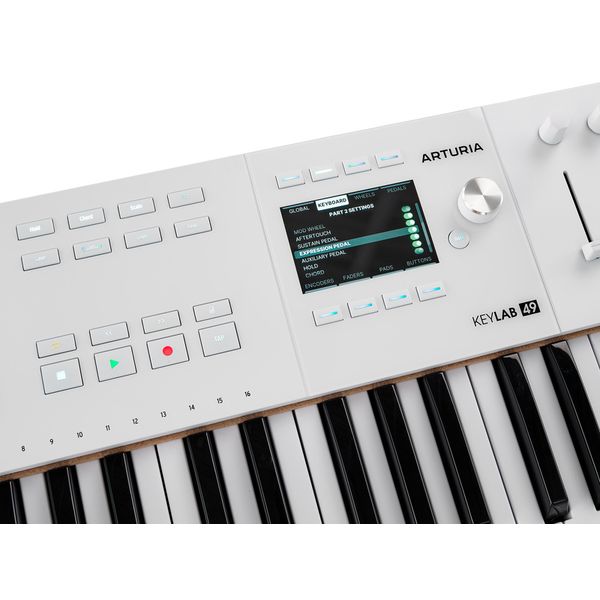
- 3.5" full colour screen (480 x 320 pixels) with eight control buttons
- Scale, arpeggiator and chord mode
- Pitch and modulation wheel
- Transport and DAW control (play, pause, save, undo, redo, etc.)
- Transpose function
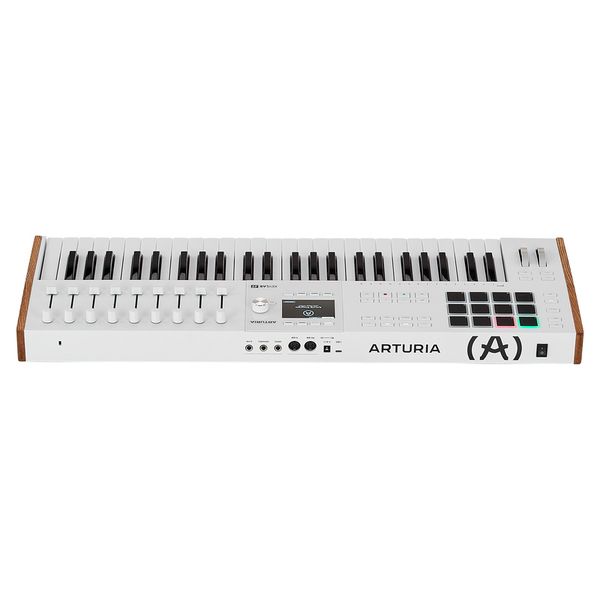
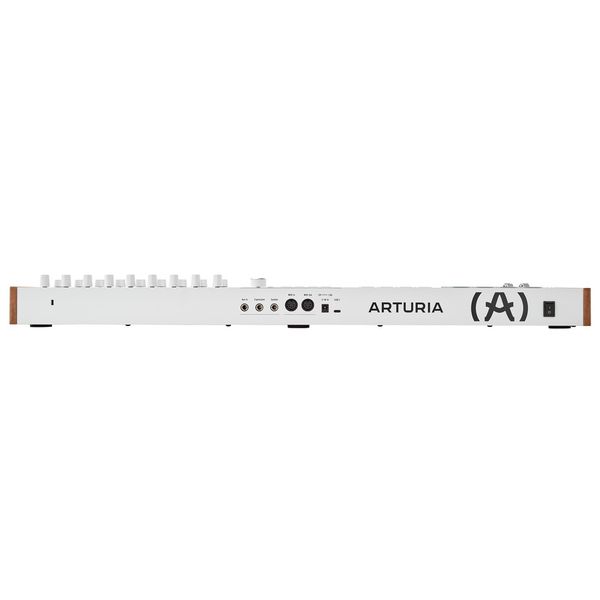
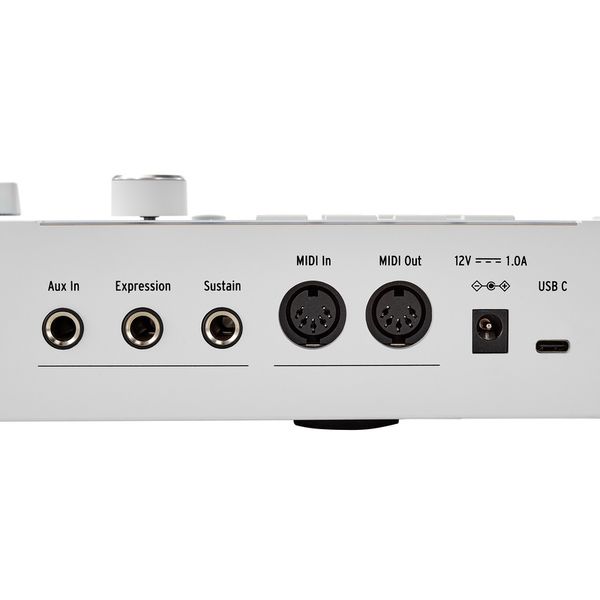
- Connections: Sustain, expression and auxiliary pedal input
- MIDI input and output
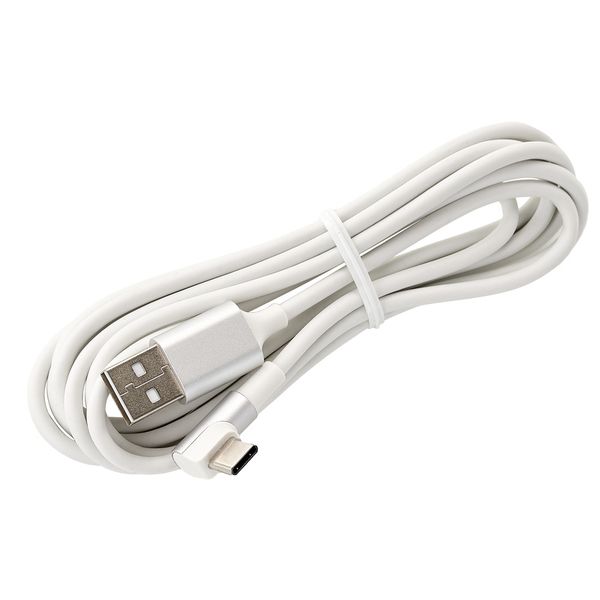
- USB-C connection
- USB-C bus-powered
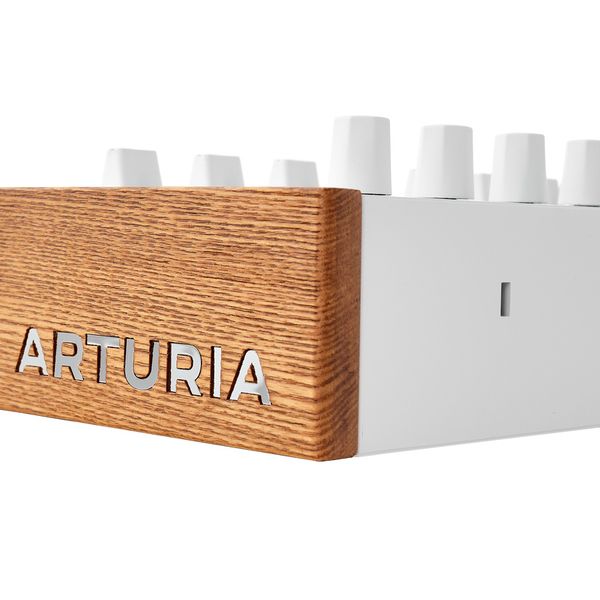
- Robust aluminium housing with wooden side panels
- NKS support for direct control of over 2000 NKS-compatible instruments and effects
- Includes free Native Instruments Komplete 15 Select Bundle for a genre of your choice for immediate testing and use of the NKS functionality
- Dimensions (L x W x H): 787 x 280 x 72mm
- Weight: 6.1 kg
- Colour: White
- Included software (download): Analogue Lab Pro, Mini V, Piano V, Augmented Strings, Rev PLATE-140, Ableton Live Lite, NI The Gentleman, Loopcloud & Melodics
-
Available since August 2024
-
Item number 596111
-
Sales Unit 1 piece(s)
-
Number of Keys 49
-
Hammer Action Keys No
-
Aftertouch Yes
-
Split Zones 1
-
Layer function Yes
-
Pitch Bend / Modulation Yes
-
Rotary Encoder 9
-
Fader 9
-
Pads 12
-
Display Yes
-
MIDI Interface 1x In, 1x Out
-
Sustain Pedal Connection Yes
-
USB-port Yes
-
Mains Operation Yes
-
Battery Operation No
-
Bus-Powered Yes
-
Width in mm 787
-
Height in mm 72
-
Depth in mm 280
-
Weight in kg 6,1 kg
-
Special Features incl. Software (Download): Analog Lab Pro, Mini V, Piano V, Augmented Strings, Rev PLATE-140, Ableton Live Lite, NI The Gentleman, Loopcloud & Melodics;
-

Premium MIDI controller
)
KeyLab 49 mk3 is Arturia's compact 49-note MIDI controller, designed for modern studio production and performance-focused workflows. Central to its design is a reengineered semi-weighted keybed with velocity sensitivity and channel aftertouch, offering a responsive touch suited to synth playing, expressive lead lines, and detailed software control. The comprehensive control surface features 12 velocity- and pressure-sensitive pads, nine touch-sensitive rotary encoders, nine 50mm faders, and dedicated transport controls. A full-colour 3.5" display with contextual buttons provides access to scale, chord, and arpeggiator functions, while supporting detailed DAW control and software integration. Far more than a simple MIDI keyboard, KeyLab 49 mk3 serves as a central command surface for software instruments, hardware MIDI devices, and contemporary production environments alike. Its robust aluminium housing, with Arturia's signature wooden endpieces, comes in a black and a white finish.
)
Fully decked-out
For clear and intuitive operation, the Arturia KeyLab 49 mk3's control panel is divided into three main sections. On the left are the pitch and modulation wheels, with dedicated buttons for octave and transpose adjustment. The 12 performance pads can trigger samples, chords or MIDI data, responding to velocity and pressure for expressive control. Dedicated buttons provide access to chord mode, note hold, scale selection, and the multi-mode arpeggiator, while the transport section manages DAW playback and recording. At the centre, the 3.5" full-colour display works with contextual soft buttons and a clickable encoder for navigating presets, parameter assignments, and user settings without relying on external software. To the right, nine touch-sensitive rotary encoders and nine 50mm faders manage mixer levels, instrument parameters, and automation.
)
For performing producers and hybrid hardware creators
KeyLab 49 mk3 is aimed at producers, synth players, and project-studio musicians who require expressive keyboard control without sacrificing hands-on parameter access. Its semi-weighted action with aftertouch supports dynamic synth performance and detailed modulation work, while the encoders, faders, and pads provide immediate control over virtual instruments, effects, and DAW mixing. Because it supports both dedicated DAW modes and user-configurable MIDI setups, the KeyLab adapts easily from software-centric production to hybrid environments incorporating external hardware. Scale, chord, and arpeggiator functions further support compositional and live performance workflows. For musicians seeking a compact yet fully equipped production surface, KeyLab 49 mk3 balances playability with deep studio integration.
)
About Arturia
Arturia's success story began with software emulations of well-known analogue synthesizers such as the Moog Minimoog, Sequential Prophet-5, and Oberheim SEM. The popular software instruments included in the V Collection are still flagship products of the French developer today. Over time, Arturia has gradually expanded its range and now also offers a host of hardware devices, ranging from synthesizers and keyboard controllers to sequencers. Since then, the former software developer has thus also become a household name in the world of analogue synthesizers and other equipment.
)
Connectivity and integration
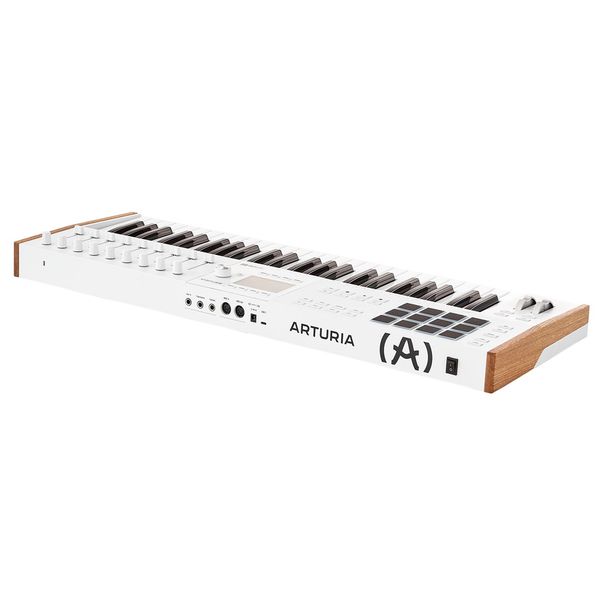
Connectivity centres on USB-C, which provides both bus power and high-speed MIDI communication with computers and the Arturia Software Center. A 5-pin MIDI output allows direct connection to external hardware instruments, enabling standalone control without relying on a DAW. The rear panel accommodates sustain, expression and auxiliary pedals, all freely assignable. Thanks to MCU and HUI protocol support, KeyLab 49 mk3 integrates directly with major DAWs including Ableton Live, Logic Pro, Cubase, FL Studio and Bitwig Studio, offering dedicated control modes and automatic mapping. NKS compatibility further extends compatibility within the Native Instruments ecosystem. Up to six user presets can be stored internally for customised MIDI configurations, allowing the controller to move fluidly between software-centric production and hybrid hardware setups.
In the spotlight
A complete production starter suite
Arturia's KeyLab 49 mk3 ships with a comprehensive software bundle centred around Analog Lab Pro, which provides over 2,000 presets drawn from Arturia's V Collection instruments, spanning analogue and digital synthesizers, acoustic and electric pianos, organs, string machines and hybrid textures. Its streamlined macro-based interface enables fast sound selection and performance control, while deeper editing remains available within the full instruments. Ableton Live Lite is included for recording and arranging within a DAW workflow, alongside full versions of Mini V, Piano V, Augmented STRINGS and Rev PLATE-140, covering classic analogue synthesis, physically modelled pianos, hybrid sound design, and vintage plate reverb processing. Installation and updates are handled via the Arturia Software Center. As bundled content may evolve, the manufacturer's website should be consulted for current details.
)
This is what customers who viewed this product bought

Accessories & matching items


Compare options
-
Arturia Master Keyboards (up to 49 Keys) at a glance
-
Display Master Keyboards (up to 49 Keys) from € 350 - € 450
-
Go to product group Master Keyboards (up to 49 Keys)
-
Go to product group MIDI Master Keyboards
-
Go to product group Keys
-
Show manufacturer details for Arturia
-
Arturia Keys at a glance