


CR
Amazing experience for a fair price.
I bought the motu 828 (2024) as my centerpiece audio interface for my new studio, I have researched all of my possible options and have narrowed them down to either this or the UFX III. I have choose this interface based on features that are more important to me like usb 3 support (which as of 2025 only a few interfaces have), driver support (I was made aware that both RME and MOTU have excellent drivers), and apart from the attractive price which is around 50-60% less than the RME, I found the digital mixing software provided with the MOTU (CueMix 5) more modern which as a tech guy means a lot to me.
It has only been a few monthes but the device serves and hopefully serve me well in years to come. I'd recommend considering this one if you are in the market for a new interface.
It has only been a few monthes but the device serves and hopefully serve me well in years to come. I'd recommend considering this one if you are in the market for a new interface.
9
0
Report
V
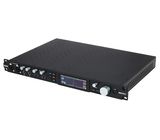
MOTU 828 (2024)
In my small studio I have the following interfaces :
US-1641 (Tascam)
US20x20 (Tascam)
UR44C (Steinberg)
by the way, all of them purchased from Thomann.
I use them with DAW Cubase Pro 13 (Steinberg), which I also received through Thomann (from version 8).
These are all very good devices, but time passes and the question arose about replacing the interface.
Having made a detailed analysis of the market, I settled on MOTU 828 (2024).
In my opinion, taking into account my needs, it has the most balanced ratio of quality, functionality and price.
Of course, it will still take time to fully master all the functionality of this device,
but at the moment it makes me very happy !
US-1641 (Tascam)
US20x20 (Tascam)
UR44C (Steinberg)
by the way, all of them purchased from Thomann.
I use them with DAW Cubase Pro 13 (Steinberg), which I also received through Thomann (from version 8).
These are all very good devices, but time passes and the question arose about replacing the interface.
Having made a detailed analysis of the market, I settled on MOTU 828 (2024).
In my opinion, taking into account my needs, it has the most balanced ratio of quality, functionality and price.
Of course, it will still take time to fully master all the functionality of this device,
but at the moment it makes me very happy !
6
2
Report
D
really good upper mid-interface
Clean AD Converters, cool features, really like the CueMix5 app. All in all a really intuitive and well built interface. can recommend!
1
0
Report
Z
Better than my old Focusrite Clarett+8 Pre
I've upgraded from FOCUSRITE CLARETT+ 8PRE to MOTU 828 (2024)
In plain terms: The MOTU 828 has a real multi functional user accessible colour screen, a much stronger mixer app with its own effects, and far more inputs and outputs. The 828 is the better and sharper tool for me.
SIDE BY SIDE (Clarett+ 8Pre / MOTU 828)
- Inputs/outputs:
18 in, 20 out 28 in
32 out (both USB-C)
- Mic preamps:
8, each with its own gain knob and analogue "Air"
2, on the front with real DSP chip for EQ and Reverb.
- Guitar (Hi-Z) inputs:
2 on the front
2 on the front
- Preamp gain:
57 dB
74 dB
- Preamp noise and range: the same on both (EIN -129 dBu, 118 dB)
- Headphones:
2 outputs that share signal with line outs 7-10
2 outputs, each with its own mix
- Digital I/O:
1 ADAT bank, S/PDIF, MIDI, word clock out
2 ADAT banks (16 channels), S/PDIF, MIDI, word clock in and out
- Onboard DSP effects:
None, only "Air", one fixed analogue tone setting, on or off.
A hardware DSP chip with 3-band EQ, compressor, gate and reverb, adjustable per channel
- Front-panel display:
Ten 6-light LED meters
Real 4-inch full-colour screen (480 x 128) with menus and choices what to show.
THE BIG ONE: A REAL SCREEN ON THE FRONT PANEL
From across the room, the Clarett tells you only one thing: whether there is signal, in six rough steps. For everything else (Air, instrument mode, mixes, routing) you have to open the app on the computer.
The 828's high-resolution colour screen shows live meters for every input and every output at once, not just the first eight inputs and the main pair. With its menu knob and buttons you can set these straight from the front panel: mic gain, 48V and pad on the preamps, the source for each headphone output, sample rate, clock source and monitor level.
In plain terms: you can see and fix most problems without touching the computer. In my studio that has already mattered. A dead reamp loop shows up at a glance as signal leaving Line Out 9 with nothing coming back on Input 2. You can't do that check on the Clarett, because it has no meters for any output except the main pair.
What the MOTU screen shows and allows you to directly select all the time:
Live level meters for every input and output
Sample rate and clock source, with a lock light (green means locked, red means a clock problem)
USB connection status (blue means connected, and it shows USB2 or USB3)
MIDI in/out activity
Mic return indicators, when a cable is plugged into a rear INSERT RETURN jack
Monitor volume and both headphone volumes
Settings in the screen menu (turn the MENU knob, press SELECT to choose, BACK to go back)
Sample Rate
Clock Source
Word Clock: OUT or THRU
Optical Expander Mode
Optical A Format: ADAT or TOSLink
Headphone 1 Source
Headphone 2 Source
S/PDIF Out Source
MIDI Thru, for when the 828 is used without a computer
Meter View: All meters, Analog I/O only, or Digital I/O only
Meter Settings: peak-hold time
Display: switches the screen off after 30 seconds or 30 minutes, or never
About: device name, serial number, firmware version
Reset: back to factory settings
Front-panel buttons and knobs, with live feedback on the screen
Preamp gain for Mic/Line/Inst 1 and 2, in 1 dB steps from 0 to +74 dB
48V and PAD for each mic input
Headphone 1 and 2 volume
Monitor volume (the big knob)
MUTE and MONO for the main outputs
A/B monitor switching (keep this off in your rig)
TALK button for talkback
Channel focus: turning any knob zooms in on that channel's meter while the others dim, and pressing SELECT keeps it zoomed
In plain terms: the screen and front panel cover gain, phantom power, pad, headphones, monitoring, clock, sample rate and all the metering. Mixes, EQ, compressor, gate, reverb and output trims still need CueMix
THE MIXER APPS
Focusrite Control 2 is clean and easy: several mixes, faders, pan, mute and solo, meters and output trims. It has no effects, and loopback is not available and hardware not possible on the Clarett+ 8Pre.
MOTU CueMix 5 is a full digital mixer with stereo busses and built-in effects: reverb, 4-band EQ, compressor, and a gate on inputs 1-2. It also has loopback, so audio from the computer can be recorded back in. The effects run on the 828's own DSP chip, so they cost the computer nothing and you hear them with no delay while you play. The Clarett has no DSP at all. Its only tone control is Air, a single fixed analogue setting you can switch on or off but not adjust. CueMix is more to learn, but it does far more.
LATENCY!
I tested it myself using the RTL Utility app with a hardware loopback cable and a NDSP amp sim.
The real measurements on my Mac:
Logic Pro: smallest clean buffer is 32 samples, giving 3.188 ms real round-trip
REAPER: smallest clean buffer is 16 samples, giving 2.521 ms real round-trip
Who can go faster than that?
VERDICT
For a home studio, the MOTU 828 wins clearly.
Every 828 advantage touches the actual signal path every day: the screen, more gain, separate headphone mixes, built-in DSP effects, loopback, and extra outputs for reamping. If a full band ever needs recording, the 828's two ADAT banks can add up to 16 more preamps later.
In plain terms: The MOTU 828 has a real multi functional user accessible colour screen, a much stronger mixer app with its own effects, and far more inputs and outputs. The 828 is the better and sharper tool for me.
SIDE BY SIDE (Clarett+ 8Pre / MOTU 828)
- Inputs/outputs:
18 in, 20 out 28 in
32 out (both USB-C)
- Mic preamps:
8, each with its own gain knob and analogue "Air"
2, on the front with real DSP chip for EQ and Reverb.
- Guitar (Hi-Z) inputs:
2 on the front
2 on the front
- Preamp gain:
57 dB
74 dB
- Preamp noise and range: the same on both (EIN -129 dBu, 118 dB)
- Headphones:
2 outputs that share signal with line outs 7-10
2 outputs, each with its own mix
- Digital I/O:
1 ADAT bank, S/PDIF, MIDI, word clock out
2 ADAT banks (16 channels), S/PDIF, MIDI, word clock in and out
- Onboard DSP effects:
None, only "Air", one fixed analogue tone setting, on or off.
A hardware DSP chip with 3-band EQ, compressor, gate and reverb, adjustable per channel
- Front-panel display:
Ten 6-light LED meters
Real 4-inch full-colour screen (480 x 128) with menus and choices what to show.
THE BIG ONE: A REAL SCREEN ON THE FRONT PANEL
From across the room, the Clarett tells you only one thing: whether there is signal, in six rough steps. For everything else (Air, instrument mode, mixes, routing) you have to open the app on the computer.
The 828's high-resolution colour screen shows live meters for every input and every output at once, not just the first eight inputs and the main pair. With its menu knob and buttons you can set these straight from the front panel: mic gain, 48V and pad on the preamps, the source for each headphone output, sample rate, clock source and monitor level.
In plain terms: you can see and fix most problems without touching the computer. In my studio that has already mattered. A dead reamp loop shows up at a glance as signal leaving Line Out 9 with nothing coming back on Input 2. You can't do that check on the Clarett, because it has no meters for any output except the main pair.
What the MOTU screen shows and allows you to directly select all the time:
Live level meters for every input and output
Sample rate and clock source, with a lock light (green means locked, red means a clock problem)
USB connection status (blue means connected, and it shows USB2 or USB3)
MIDI in/out activity
Mic return indicators, when a cable is plugged into a rear INSERT RETURN jack
Monitor volume and both headphone volumes
Settings in the screen menu (turn the MENU knob, press SELECT to choose, BACK to go back)
Sample Rate
Clock Source
Word Clock: OUT or THRU
Optical Expander Mode
Optical A Format: ADAT or TOSLink
Headphone 1 Source
Headphone 2 Source
S/PDIF Out Source
MIDI Thru, for when the 828 is used without a computer
Meter View: All meters, Analog I/O only, or Digital I/O only
Meter Settings: peak-hold time
Display: switches the screen off after 30 seconds or 30 minutes, or never
About: device name, serial number, firmware version
Reset: back to factory settings
Front-panel buttons and knobs, with live feedback on the screen
Preamp gain for Mic/Line/Inst 1 and 2, in 1 dB steps from 0 to +74 dB
48V and PAD for each mic input
Headphone 1 and 2 volume
Monitor volume (the big knob)
MUTE and MONO for the main outputs
A/B monitor switching (keep this off in your rig)
TALK button for talkback
Channel focus: turning any knob zooms in on that channel's meter while the others dim, and pressing SELECT keeps it zoomed
In plain terms: the screen and front panel cover gain, phantom power, pad, headphones, monitoring, clock, sample rate and all the metering. Mixes, EQ, compressor, gate, reverb and output trims still need CueMix
THE MIXER APPS
Focusrite Control 2 is clean and easy: several mixes, faders, pan, mute and solo, meters and output trims. It has no effects, and loopback is not available and hardware not possible on the Clarett+ 8Pre.
MOTU CueMix 5 is a full digital mixer with stereo busses and built-in effects: reverb, 4-band EQ, compressor, and a gate on inputs 1-2. It also has loopback, so audio from the computer can be recorded back in. The effects run on the 828's own DSP chip, so they cost the computer nothing and you hear them with no delay while you play. The Clarett has no DSP at all. Its only tone control is Air, a single fixed analogue setting you can switch on or off but not adjust. CueMix is more to learn, but it does far more.
LATENCY!
I tested it myself using the RTL Utility app with a hardware loopback cable and a NDSP amp sim.
The real measurements on my Mac:
Logic Pro: smallest clean buffer is 32 samples, giving 3.188 ms real round-trip
REAPER: smallest clean buffer is 16 samples, giving 2.521 ms real round-trip
Who can go faster than that?
VERDICT
For a home studio, the MOTU 828 wins clearly.
Every 828 advantage touches the actual signal path every day: the screen, more gain, separate headphone mixes, built-in DSP effects, loopback, and extra outputs for reamping. If a full band ever needs recording, the 828's two ADAT banks can add up to 16 more preamps later.
0
0
Report